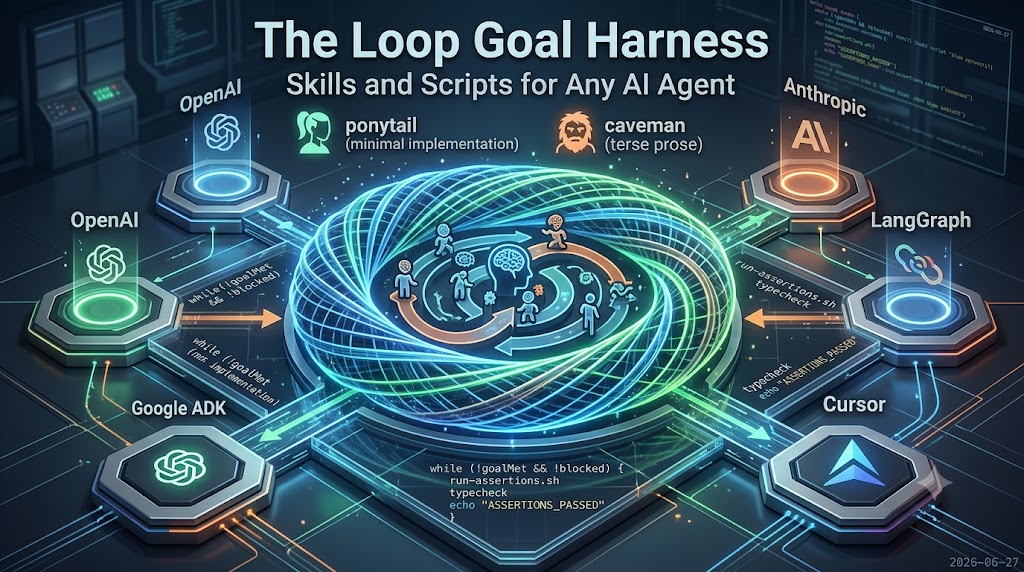
Loop Until the Outcome Is Met, Not the Chat Ends
One-shot AI prompts stop too early. A loop with a clear goal, reusable playbooks, and hard stop rules cuts wasted spend and unfinished work.
A team asks for a finished outcome. The assistant writes something, says it is done, and the session ends. Days later the checks fail, the scope drifted, and the team pays again to rediscover what done meant.
The model was not the whole problem. The process stopped at a one-shot answer instead of looping until a defined outcome was met.
This is the third post in the harness series. It builds on roles that do not collide and checks that can fail. Here the focus is the loop itself. Teams keep working toward the goal with playbooks and stop rules they can reuse, not a fresh hopeful prompt every time.
Key Takeaways
| Topic | Takeaway |
|---|---|
| Goal | State an outcome teams can verify, not "make it good." |
| Loop | Plan, do a slice, check, repeat until evidence passes. |
| Skills | Reusable playbooks load when the job matches. |
| Scripts | Automatic checks block done when lint or tests fail. |
| Stop rule | Human block or green checks end the loop, not chat feel. |
One-shot vs loop-until-goal
One-shot: Ask once. Take the reply. Hope it stuck.
Loop-until-goal: State an outcome teams can verify. Plan → do a slice → check → repeat until the outcome holds, or until someone blocks with a reason.
Teams do not ask the model to try harder. They change when the work is allowed to stop. That matters for cost (fewer full restarts), reliability (drift gets caught mid-flight), and accountability (someone owns the stop decision).
What the harness is, in plain terms
Three pieces:
- A goal: specific enough to check. Not "make it good." Something like "every published item shows a title and date on the list."
- A loop: small steps with a check after each one, not a single marathon reply.
- A harness: the rules and files that force order, keep handoffs short, and refuse "done" without evidence.
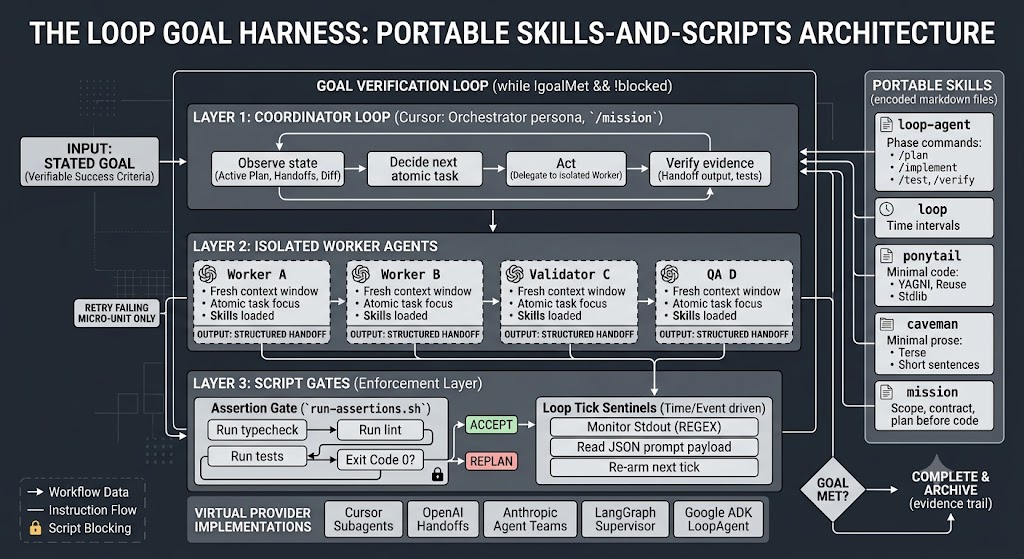
The harness does not replace judgment. It channels it: one shippable step at a time, proof at the gate.
Why one-shots fail on real work
Same patterns show up whether one person or several agents are involved:
| What goes wrong | What teams feel | What the loop fixes |
|---|---|---|
| Early decisions forgotten | "We already decided that" | Written state and short handoffs |
| Two people edit the same thing | Collisions and rework | One changer at a time |
| "Looks done" with no proof | Surprises after the fact | A validation contract before accept |
| Gold-plating | Bigger bill, slower ship | Playbooks that prefer the smallest fix |
| First failure ends the job | Start from scratch next week | Retry the failed slice only |
Treat these as process problems, not luck with wording.
Skills and scripts = reusable playbooks
Teams do not need a new vendor product to get most of this value.
Skills are short written playbooks the assistant loads when the job matches. They cover how to stay minimal, how to hand work off, and how to write status notes instead of novels. The same idea travels across tools: a file of instructions beats reinventing how to work here in every chat.
Scripts (or any automatic check teams already run) are the enforcement layer. Prompts suggest. Checks block. Lint fails, tests fail, a required handoff section is missing → the loop does not accept "done." The contract says what must be true; the check proves some of it without arguing in chat.
Together: playbooks for behavior, gates for stop/go. Portable across sessions. Cheap to version. No lock-in required for the core idea.
Who decides what happens next
Every serious setup maps to the same stack, whatever the brand names:
- Coordinator: owns the goal, picks the one next task, never does the whole product in one breath
- Workers: do one scoped slice, return a summary with evidence, not a transcript dump
- Gates: run checks; fail means remake or stop, not a polite shrug
Different platforms call these subagents, handoffs, supervisors, or workflow steps. The business shape is the same: specialist in, summary out, proof before close.
When to stop (and when not to use a loop)
Stop when:
- Every check tied to the goal passes with evidence, or
- A human blocks with a clear reason (wrong scope, missing decision, unsafe change)
Do not stop because the chat felt finished.
Skip the harness for a typo, a one-file spike, or a throwaway experiment. Use it when the outcome spans multiple steps. Use it when teams care about an evidence trail. Use it when the work may span days and the thread cannot be lost. Heavy vendor tooling is fine when audit trails and approvals are needed at scale. The loop idea still applies; teams just buy more instrumentation.
For work that has to survive crashes and restarts, the next post covers keeping state on disk with file events.
Closing
A loop-until-goal harness is discipline in files: playbooks for how to work, checks for when to stop, a written goal for what "done" means. One-shot prompts are cheap until they are not. Start with one clear outcome, one short checklist, and one automatic gate. Loop until the evidence says stop, not until the assistant says so.
Related: Building a Multi-Agent Harness · Writing a Validation Contract That Actually Catches Bugs · File-Event Durable Agents